In today’s digital landscape, high-quality visuals are essential. Clearer images can improve audience engagement, drive sales, and enhance brand credibility across various platforms, from wedding photography to product listings and blog content. Previously, achieving a professional look involved expensive equipment, hard-to-learn software, and time-consuming editing.
So, there’s this thing called AIEnhancer, right? It’s supposed to be a real game-changer for making your photos look way better with, you guessed it, AI. From one-click image improvement to a versatile ai image editor and an efficient watermark remover, AIEnhancer has swiftly earned its spot as creators’ shortcut to speed, polish, and ease. Alright, I’m curious—let’s poke around and see what’s really going on. We’ll see how it actually works, whether it feels simple in practice, if the results hold up, and, honestly, whether it deserves the buzz about being the best AI photo enhancer you can stumble across online.
What is AIEnhancer?
This platform is great because it makes photo editing simple while still giving you quality results, so anyone can get professional-looking photos.
AIEnhancer is an online tool that uses AI to turn regular or poor-quality photos into clear, high-res images. Instead of doing lots of manual edits like you would with regular photo software, AIEnhancer uses smart algorithms to automatically improve sharpness, color, and contrast to make your photos look better.
Key highlights of the platform include:
- One-click photo enhancement
- AI-powered image editor for detailed adjustments
- Smart watermark remover
- Image restoration and upscaling capabilities
- Online, user-friendly interface
This platform excels because it simplifies photo editing, allowing even novice users to get good results without specialized knowledge.
Ease of Use: One-Click Enhancement
One thing that’s cool about AIEnhancer is how easy it is to use. You can get good results with just one click.
Here’s how it works:
- Upload Your Image – Simply drag and drop your file or select it from your device.
- Click Enhance – The AI immediately analyzes the photo, identifies areas needing improvement, and applies advanced corrections.
- Download the Result – Within seconds, your image is transformed with enhanced sharpness, improved color, and reduced noise.
AIEnhancer’s appeal lies in its simplicity. Image betterment is achieved with minimal effort, making it suitable for users processing many images or those without advanced photo-editing skills.
AI Image Editor: Fine-Tuning for Professional Results
While one-click enhancement is perfect for most images, some situations require finer control. AIEnhancer’s AI image editor allows users to make precise adjustments after the initial AI processing.
Key features include:
- Brightness, Contrast, and Saturation Adjustment – Optimize lighting and colors for a polished look.
- Detail Enhancement – Sharpen specific areas or textures without affecting the overall image.
- Facial and Object Refinement – Perfect for portrait photographers or product imagery.
- Creative Filters – Apply professional-grade filters to maintain brand consistency.
- Background Enhancements – Improve clarity and depth for more visually appealing images.
One thing that’s cool about AIEnhancer is that it’s simple. The platform is made to give you good enhancements with just one click.
This easy-to-use thing is really good for creators who handle a lot of pictures, or for those who don’t know much about picture editing.
This mix of automatic stuff and doing things yourself means creators can make pictures that are both good and made just how they want them.
Watermark Remover: Clean, Professional Images
One of the best things about AIEnhancer is how simple it is. You can get great results with just a click.
This is really helpful if you have lots of images or aren’t a photo-editing expert.
With both automatic and manual settings, you can make your images look amazing and exactly the way you want them.
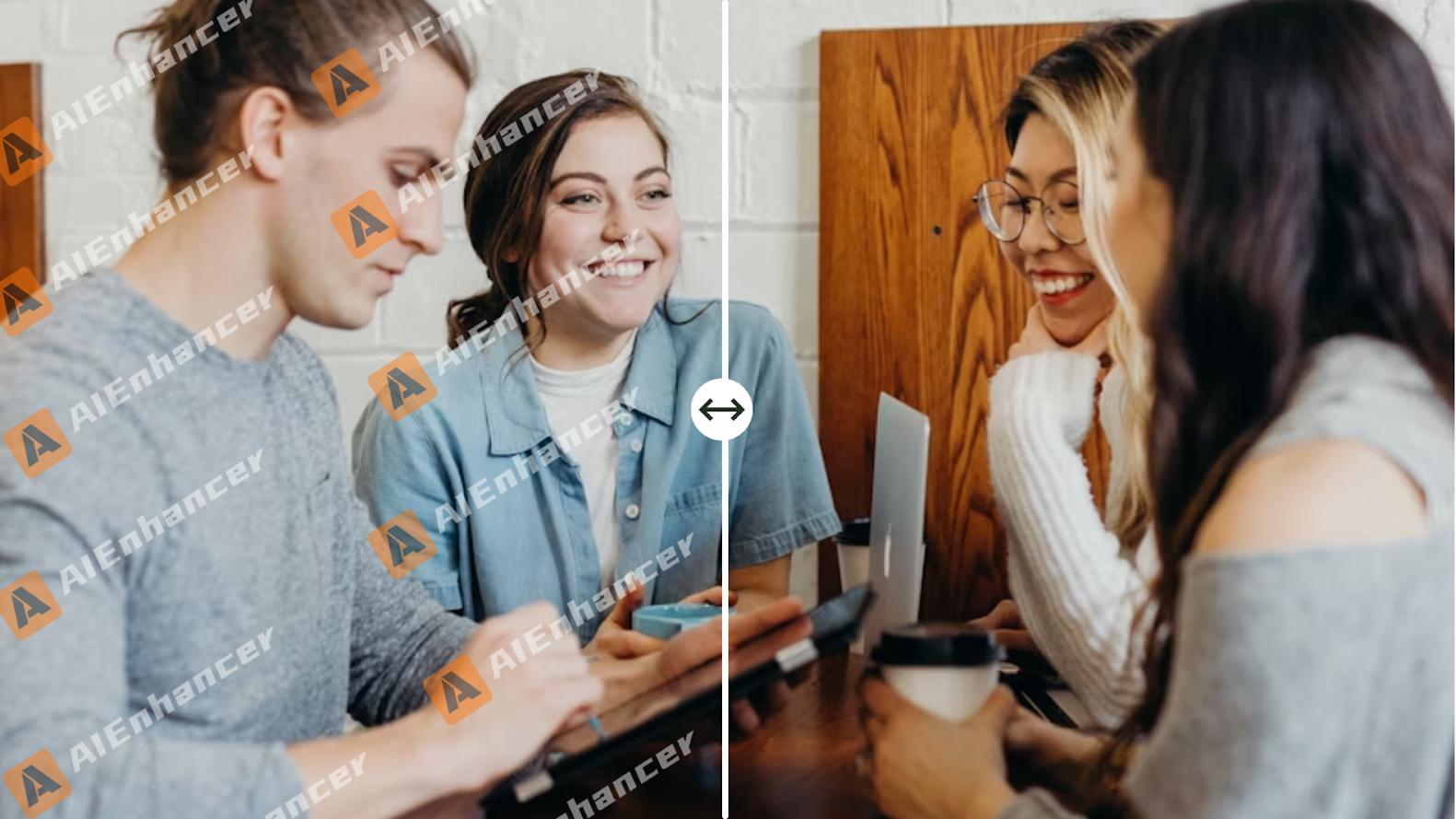
Lots of images, from stock sites or social media, have watermarks or logos. Removing them by hand takes ages and can leave ugly marks.
AIEnhancer addresses this with its watermark remover, which automatically:
- Detects the watermark or logo
- Reconstructs the background with AI
- Delivers a natural, seamless result
This tool is a must-have for creators who want clean images for portfolios, online stores, presentations, or just for fun. It gets rid of watermarks and uses AI to make your images look great in minutes, saving you a lot of time.
Upscaling and Restoring Low-Quality Images
The Challenge of Low-Resolution Photos
Creators often encounter blurry or pixelated images from downloads, scans, or archives. Manually improving these photos can be tedious and time-consuming.
AI-Powered Upscaling and Restoration
AIEnhancer transforms low-resolution images into high-definition visuals while preserving details. Key capabilities include:
- Converting low-res images into high-definition quality
- Removing blur and noise without losing detail
- Restoring colors, textures, and facial features
- Repairing minor scratches and imperfections
Perfect for Every Creator
This feature is ideal for photographers, digital marketers, and anyone looking to effortlessly enhance old or damaged photos, turning them into polished, professional-quality images.
Batch Processing: Perfect for Creators with High Volume Work
If you’re a creator working with lots of images, speed is key. AIEnhancer lets you upload and improve many pictures all at once.
Benefits of batch processing include:
- Significant time savings
- Consistent quality across multiple images
- Reduced manual effort for repetitive tasks
- Streamlined workflow for social media content, e-commerce catalogs, and portfolios
Batch processing lets creators focus on making stuff, not spending hours doing tech stuff.
Output Quality: How Good Are the Results?
The Importance of Image Quality
When it comes to photo enhancement, the ultimate test is the quality of the results. AIEnhancer consistently delivers impressive outcomes across a wide range of images.
Key Features for Professional Results
- Natural Detail Restoration – Reconstructs textures and edges realistically.
- Noise Reduction – Smooths grainy or pixelated areas without over-blurring.
- Color Accuracy – Corrects faded colors and enhances vibrancy.
- Clarity and Sharpness – Produces crisp, professional-looking photos, even when upscaled.
Professional Results, Every Time
Whether you’re restoring old photos, shooting product images, creating portraits, or preparing social media content, AIEnhancer ensures your images look polished and professional—matching the quality of high-end editing software.
User Experience and Accessibility
AIEnhancer is great for portraits, product photos, social media, or fixing old pics, the results look as good as if you used pro editing software.
Plus, it’s super easy to use. AIEnhancer is all online, so you don’t need to install anything.
- Accessible on desktop, laptop, or even tablets
- Intuitive navigation with clear options
- Quick processing times, even for large files
- Beginner-friendly for those with no editing experience
This accessibility makes it an excellent choice for creators at any skill level or budget.
Pros and Cons
Pros:
- One-click photo enhancement
- Versatile ai image editor for manual adjustments
- Efficient watermark remover
- Supports image restoration and upscaling
- Batch processing for multiple images
- Web-based and user-friendly
- Affordable pricing
Cons:
- Dependent on internet connection
- Some advanced manual edits may still require professional software
Overall, the pros far outweigh the cons, making AIEnhancer a reliable choice for creators.
Who Should Use an AIEnhancer?
AIEnhancer is ideal for a wide range of users:
- Photographers – Enhance, restore, and upscale photos quickly.
- Social Media Influencers – Produce high-quality, visually appealing content.
- E-Commerce Sellers – Improve product images to attract buyers.
- Graphic Designers – Use as a foundation for professional projects.
- Content Creators – Save time while producing high-quality visuals.
- Anyone Working with Old or Low-Res Images – Restore memories or improve digital downloads.
It works great whether you’re a pro or just having fun and want things to look really good.
Conclusion
After spending time with AIEnhancer, I can see why creators keep coming back to it. It’s the mix of speed, automation, and crisp results—and honestly, that combo— that sets it apart from old-school tools. You get a solid ai image editor, a handy watermark remover, batch tools, and easy upscaling—so it really feels like an all-in-one for polishing photos.
Whether you’re fixing up old shots, tuning posts for socials, or chasing high-res assets for client work, AIEnhancer comes through with results that impress without getting in your way.
If you want to move faster, keep your flow smooth, and make great-looking images without fiddly software, AIEnhancer is easily among the strongest AI photo enhancers online.