Direct-to-film printing, better known as DTF printing, has quickly become one of the most popular ways to put full-color, durable designs on t-shirts, hoodies, bags, and almost any fabric you can think of. Unlike older methods that need expensive setup fees, special inks for every fabric type, or a steep learning curve, DTF printing gives small business owners, side-hustlers, and print shops a simple, repeatable workflow that produces professional results every time.
If you have ever searched for “how does DTF printing work” or wondered what equipment you actually need to start a custom apparel business, this guide walks you through the entire process from start to finish. We will cover the three pieces of equipment at the heart of every DTF workflow, the step-by-step process of turning a digital design into a finished garment, and the practical tips that separate a smooth production line from a frustrating one.
What Is DTF Printing?
DTF stands for Direct-to-Film. Instead of printing directly onto fabric (like DTG, or direct-to-garment printing), the design is first printed onto a special PET film using water-based pigment inks. A layer of adhesive powder is then applied to the wet ink, and the film is cured until the powder melts into a smooth, flexible adhesive layer. Finally, the film is pressed onto the garment using heat, transferring the ink and adhesive permanently onto the fabric.
This process might sound like it has a lot of moving parts, but that is exactly what makes it so versatile. Because the transfer is created on film first, it can be applied to cotton, polyester, blends, nylon, leather, and even dark or black fabrics without any pretreatment. That single advantage is why DTF has overtaken older transfer methods for many small and medium print businesses.
The entire DTF workflow depends on three interconnected machines working together in sequence:
- A DTF printer that prints the design onto film
- A DTF oven that dries the ink and melts the adhesive powder
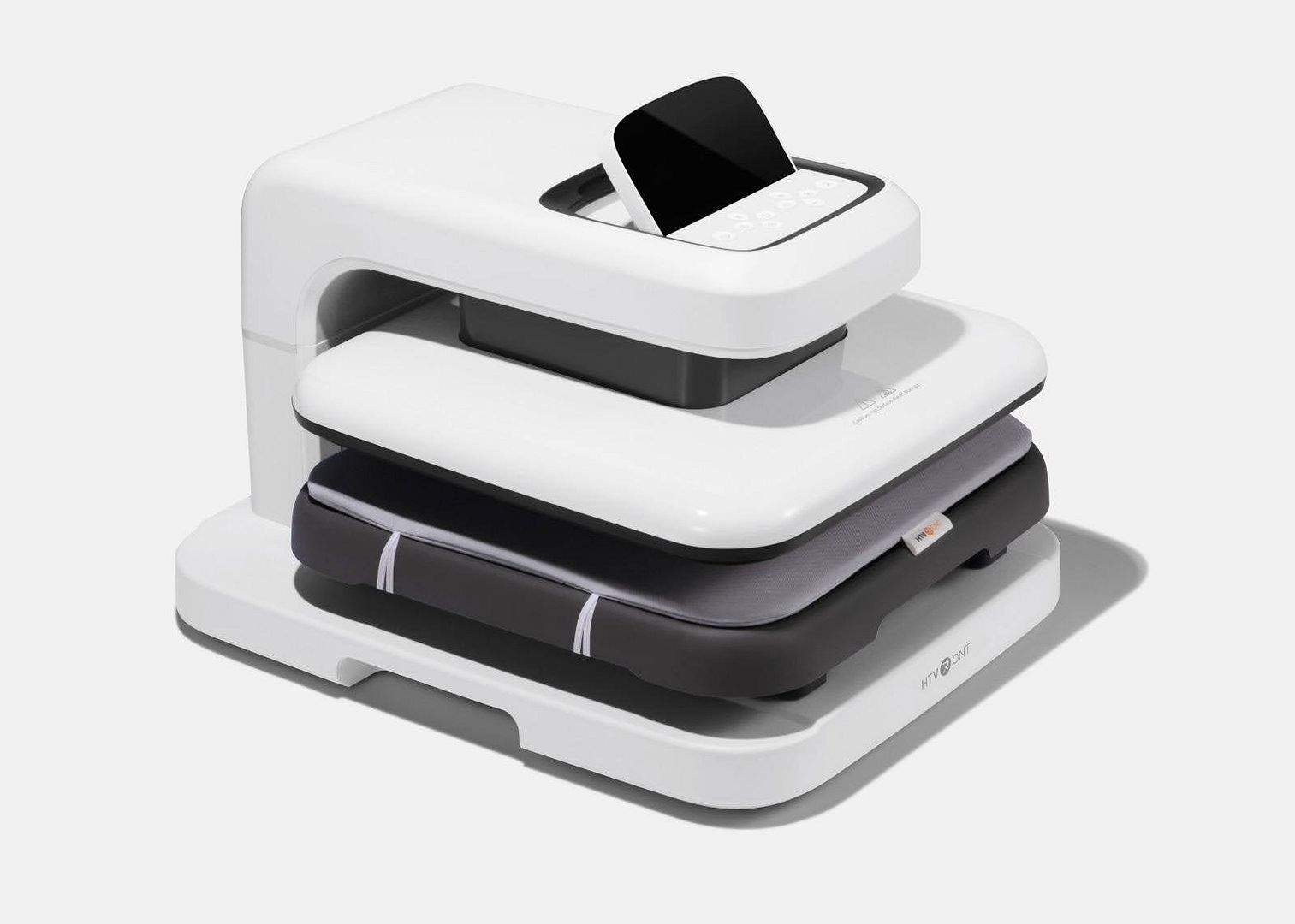
- A T-shirt press that heat-presses the finished transfer onto the garment
Skipping or rushing any one of these three stages will affect the final print quality, so it helps to understand exactly what happens at each step.
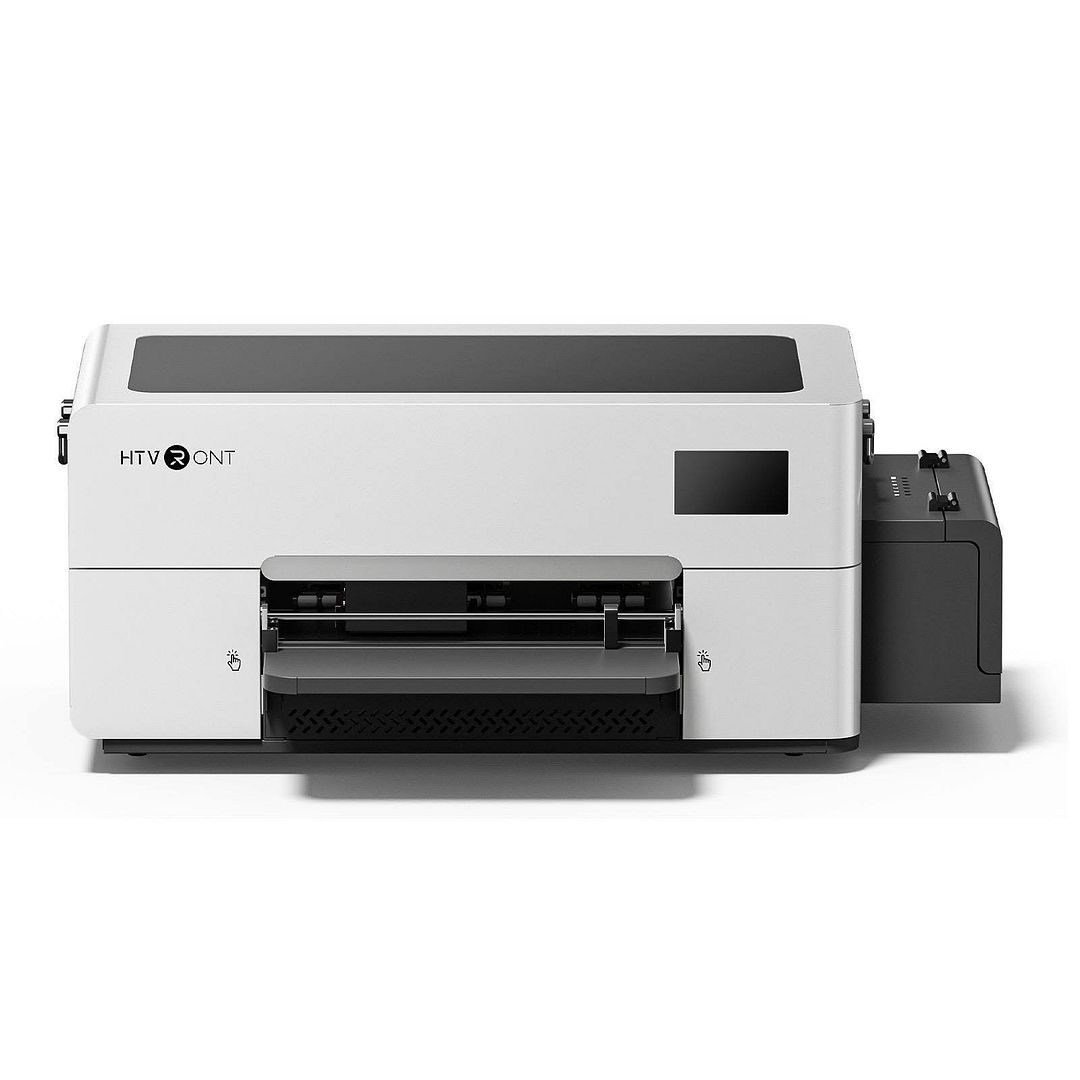
Step 1: Printing the Design With a DTF Printer
Everything starts with your artwork. A high-resolution design file, ideally 300 DPI or higher, is loaded into RIP (Raster Image Processing) software that controls the printer. This software separates the design into its color layers and, critically, generates a white ink layer that sits underneath the colors. That white underbase is what allows DTF prints to stay vibrant on dark fabric, since without it, colors would look washed out or transparent once pressed onto a black or navy shirt.
The DTF printer lays down the color layers first, followed by the white ink layer, directly onto a roll of PET transfer film. Good DTF printers use a dedicated white ink circulation system, because titanium dioxide-based white ink settles quickly and can clog print heads if it is not kept agitated. This is one of the most common points of failure for beginners, so a printer with reliable white ink management saves a lot of maintenance headaches down the road.
Once the ink is printed onto the film, the surface is still wet and slightly tacky. This is intentional and necessary for the next step to work correctly.
Choosing the Right DTF Printer
A few things matter more than raw print speed when picking equipment for this stage:
- Print head technology – Consistent droplet size keeps colors accurate and prevents banding on large designs.
- White ink circulation – Automatic or built-in agitation reduces clogging and daily maintenance time.
- Film width and roll capacity – Wider printers handle bigger designs and reduce the number of roll changes during long production runs.
- RIP software compatibility – Look for software that is easy to learn if you are new to garment printing, since this is where color separation and white underbase settings are configured.
Step 2: Applying DTF Powder
As soon as the design comes off the printer, it needs to be covered in DTF adhesive powder while the ink is still wet. This powder is what allows the print to bond to fabric later in the process, so even coverage matters a lot here.
There are two common ways shops do this: manually shaking powder over the film and shaking off the excess, or using an automatic powder shaker machine that applies an even layer and removes any surplus with a built-in vibration or vacuum system. Manual shaking works fine for hobbyists doing small batches, but it is easy to get uneven coverage, which shows up as patchy or dull spots on the final print. Shops running higher volumes usually invest in an automatic shaker fairly quickly because it dramatically improves consistency and speeds up production.
Powder particle size also affects the final texture of the print. Finer powder generally creates a softer hand-feel on the finished garment, while coarser powder can feel thicker and more rubbery. Many print shops test a few powder brands before settling on the one that matches the feel they want for their products.
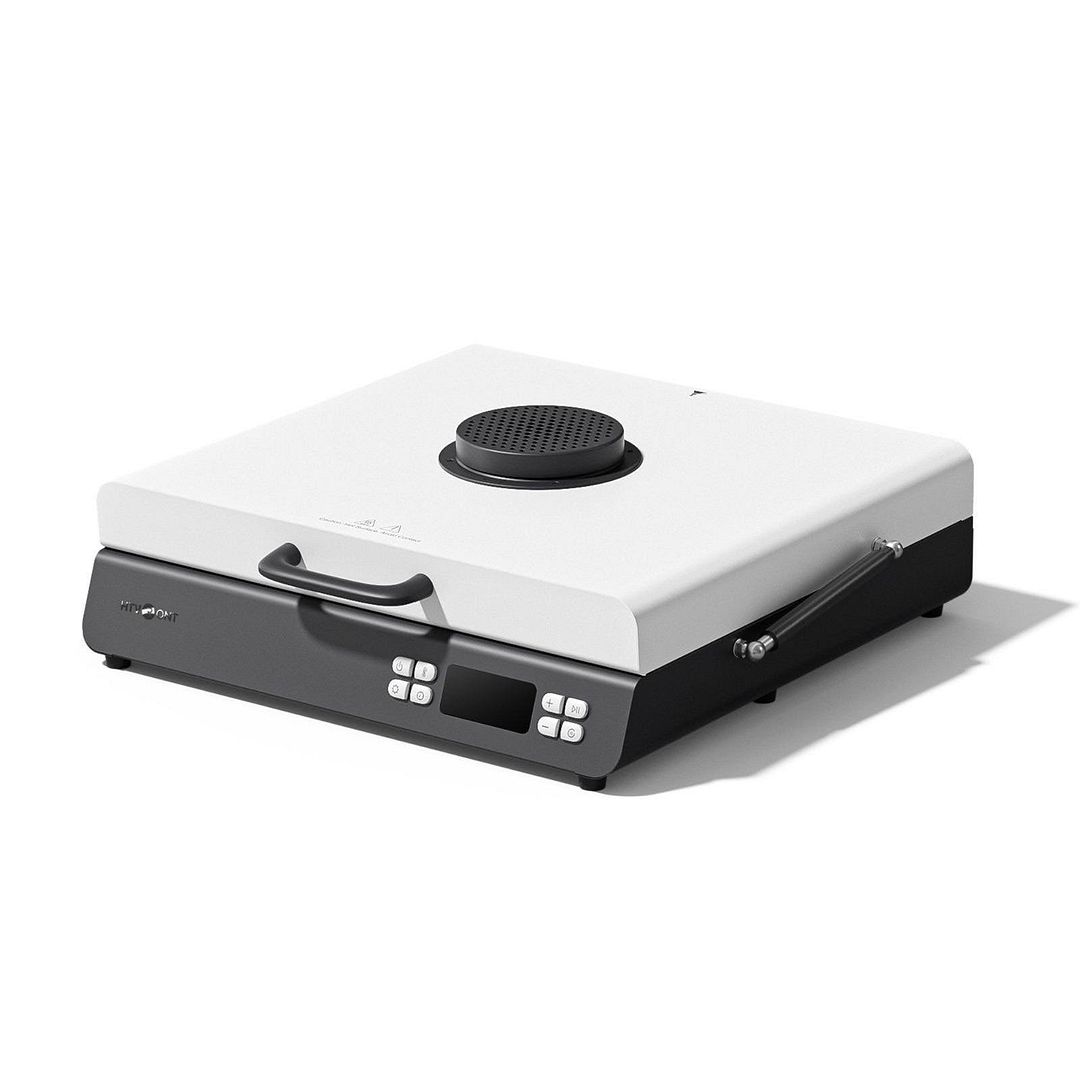
Step 3: Curing the Transfer in a DTF Oven
Once the powder is applied and shaken off, the film moves to the curing stage. This is where a DTF oven does its job: melting the powder into a smooth, even adhesive layer while fully drying the ink underneath it.
Temperature and timing are the two variables that matter most here. Most DTF powders melt somewhere between 265°F and 320°F (roughly 130°C to 160°C), and curing typically takes anywhere from 2 to 5 minutes depending on the oven type, powder brand, and how thick the ink layer is. Curing for too short a time leaves the powder under-melted, which means the transfer will not bond properly to fabric and may crack or peel after a few washes. Overcuring, on the other hand, can make the adhesive brittle or cause it to lose its stretch, which matters a lot for shirts that need to flex with the wearer’s movement.
There are a few different oven styles used for this stage:
- Flatbed curing ovens with a flat heating plate, ideal for shops that also need consistent, repeatable curing without babysitting a heat gun.
- Conveyor/tunnel ovens that automatically move the film through a heated tunnel, which is the fastest option for high-volume production.
- Heat guns used by hobbyists for very small batches, though these require more manual control and practice to avoid uneven melting.
A well-calibrated oven with an accurate temperature display and even heat distribution is one of the biggest quality-of-life upgrades a growing DTF business can make, since it removes a lot of the guesswork and trial-and-error that comes with heat guns.
Once the film comes out of the oven, it should look glossy and smooth, with no visible texture from the powder. At this point, the transfer is shelf-stable and can be stored for later use, which is one of the practical advantages of DTF over some other printing methods — you can print and cure a batch of designs in advance and press them onto garments whenever an order comes in.
Step 4: Pressing the Design With a T-Shirt Press
The final stage is where the design actually becomes part of the garment. A t shirt press applies firm, even heat and pressure to the film, melting the adhesive layer one more time so it fuses into the fabric fibers. Once the film is peeled away, the ink and adhesive stay behind on the shirt, leaving behind a smooth, durable, full-color print. As experts from bestpricedtf.com say, utilizing high-quality custom DTF transfers ensures the artwork stays sharp and vibrant through dozens of washes without peeling or cracking.
A typical DTF pressing cycle looks like this:
- Preheat the garment for a few seconds to remove moisture and wrinkles.
- Place the cured film design-side down on the fabric.
- Press at roughly 300°F to 325°F (150°C to 165°C) for 10 to 15 seconds with firm, even pressure.
- Peel the film while it is still warm (a “hot peel”) or let it cool slightly first (a “cold peel”), depending on the film manufacturer’s instructions.
- Optionally, press the shirt again for a few seconds without the film to fully seal the edges and improve wash durability.
Pressure consistency across the entire platen is just as important as temperature. If one corner of the press applies less pressure than the rest, that section of the design may not bond fully and can peel off after washing. This is why many shops upgrade from basic clamshell presses to models with adjustable pressure and even heat plates once they start filling steady custom orders.
Common Heat Press Settings to Get Right
- Even pressure across the whole platen, not just the center
- Accurate, calibrated temperature, since a press running hot or cold by even 10–15 degrees can affect adhesion
- Consistent timing, ideally using a built-in timer rather than counting manually
- Correct peel method for the specific film and powder combination you are using, since some are designed for hot peel and others for cold peel
Why Businesses Are Switching to DTF Printing
DTF has grown quickly for a few practical reasons that matter to anyone running or starting a print business:
- Works on almost any fabric – cotton, polyester, blends, nylon, and even leather, without needing different processes for each material.
- No pretreatment needed – unlike DTG printing, which usually requires pretreating garments (especially dark ones) before printing.
- Vibrant color on dark fabric – the white underbase layer means designs stay bright on black or navy shirts.
- Transfers can be made ahead of time – since cured film is shelf-stable, shops can batch-produce designs and press them on demand.
- Lower minimum order sizes – there is no screen setup cost like traditional screen printing, so single custom shirts are just as feasible as bulk orders.
- Soft, flexible finish – modern DTF powders and films produce prints that stretch with the fabric instead of cracking.
Common Mistakes to Avoid
Even with the right equipment, a few recurring mistakes tend to trip up people who are new to DTF printing:
- Skipping white ink agitation, which leads to clogged print heads and patchy white underbase.
- Uneven powder application, causing dull or thin spots in the finished design.
- Under-curing or over-curing film, which affects both the look and the wash durability of the final print.
- Inconsistent press pressure, especially on larger or multi-panel designs where the edges peel first.
- Using low-quality film or powder, which can be tempting for cutting costs but often causes cracking, dulling, or poor wash resistance over time.
Most of these issues are avoidable simply by keeping equipment properly maintained, testing new batches of film or powder before running a full production job, and calibrating temperature and pressure settings on both the oven and the press periodically rather than assuming factory defaults will stay accurate forever.
Building a Simple, Repeatable Workflow
Once you understand how each machine fits into the process, the DTF workflow becomes very predictable:
- Design and RIP the artwork, including the white underbase layer.
- Print the design onto film using a DTF printer.
- Apply adhesive powder evenly while the ink is still wet.
- Cure the film in a DTF oven until the powder is fully melted and smooth.
- Press the finished transfer onto the garment with a heat press.
- Peel the film and, if needed, do a final seal press.
Because each stage is fairly quick, a small setup with one printer, one oven, and one press can realistically turn around dozens of shirts in a single day once the workflow is dialed in. Larger operations scale this up with wider printers, conveyor ovens, and multi-station presses, but the underlying process stays exactly the same.
DTF vs. Other Printing Methods
It helps to see how DTF stacks up against the methods most shops are already familiar with, since that context makes it easier to decide when DTF is the right call and when another method might still make sense.
- DTF vs. DTG – DTG prints ink straight onto fabric and usually needs pretreatment for dark garments, while DTF skips pretreatment entirely and works on a wider range of materials, though DTG can feel slightly softer on 100% cotton.
- DTF vs. screen printing – screen printing is still cost-effective at very high volumes of a single design, but it needs a new screen for every color and design, making it impractical for one-off or small custom orders the way DTF is.
- DTF vs. sublimation – sublimation produces excellent results on polyester but essentially does not work on cotton or dark fabrics, whereas DTF handles both without issue.
For shops that print a mix of small orders, different fabric types, and both light and dark garments, DTF usually ends up being the most flexible single method to build a workflow around.
Caring for DTF-Printed Garments
A print is only as good as how long it lasts on the shirt, so it is worth passing basic care instructions on to customers or including them on a hang tag. Turning garments inside out before washing, using cold water, and avoiding high-heat dryer cycles all reduce the friction and heat that gradually wear down any printed transfer. Ironing directly over a printed design should also be avoided; if ironing is unavoidable, a cloth placed between the iron and the print protects the surface. Garments cared for this way typically keep their color and texture through many wash cycles, which matters a lot for repeat customers and word-of-mouth referrals.
Final Thoughts
DTF printing has made custom apparel production accessible to far more people than older methods ever did, mainly because the process is straightforward once you understand the role each machine plays. A reliable DTF printer lays down accurate, vibrant color; a properly calibrated DTF oven melts the adhesive powder into a durable, flexible layer; and a consistent t-shirt press locks the design permanently into the fabric. Get those three stages right, and the rest of running a custom apparel business becomes a matter of design, marketing, and fulfillment rather than fighting with equipment.
Whether you are printing one-off shirts for friends or building a full-scale print shop, understanding this workflow from film to finished garment is the foundation everything else is built on.