Creating a YouTube video can feel like a daunting task, especially for beginners. Fortunately, with advances in AI technology, making high-quality videos is no longer reserved for professionals with years of experience. In fact, you can now create stunning videos for YouTube in just a few simple steps using Loova, an all-in-one AI video creation platform.
In this blog post, we’ll walk you through how to use Loova to create a YouTube video from scratch, even if you have no experience with video production. From brainstorming your ideas to adding a professional touch, we’ll show you how to use Loova’s powerful AI tools to make your next YouTube video stand out.
Understanding the Basics of YouTube Video Creation
Before diving into the tools, it’s essential to understand the basic principles of creating a YouTube video.
Choosing Your Niche and Content
The first step in creating a successful YouTube video is deciding what your video will be about. Whether you’re making a tutorial, vlog, review, or something else, it’s important to have a clear idea of your target audience. Make sure your video content resonates with the people you want to reach.
Why Visuals Matter
When it comes to YouTube videos, visuals are critical. The right visuals can captivate your audience and keep them engaged. This includes everything from your thumbnail (the first thing people see before clicking) to the actual video content. Using high-quality visuals will help your video look more professional and increase your chances of gaining views.
Challenges for Beginners
If you’re just starting out, editing videos, creating special effects, and designing thumbnails can seem like insurmountable tasks. But don’t worry! Loova’s AI-powered tools can simplify these tasks for you, making video creation accessible even if you have zero experience.
How Loova Makes Video Creation Effortless
Overview of Loova’s AI Workflow
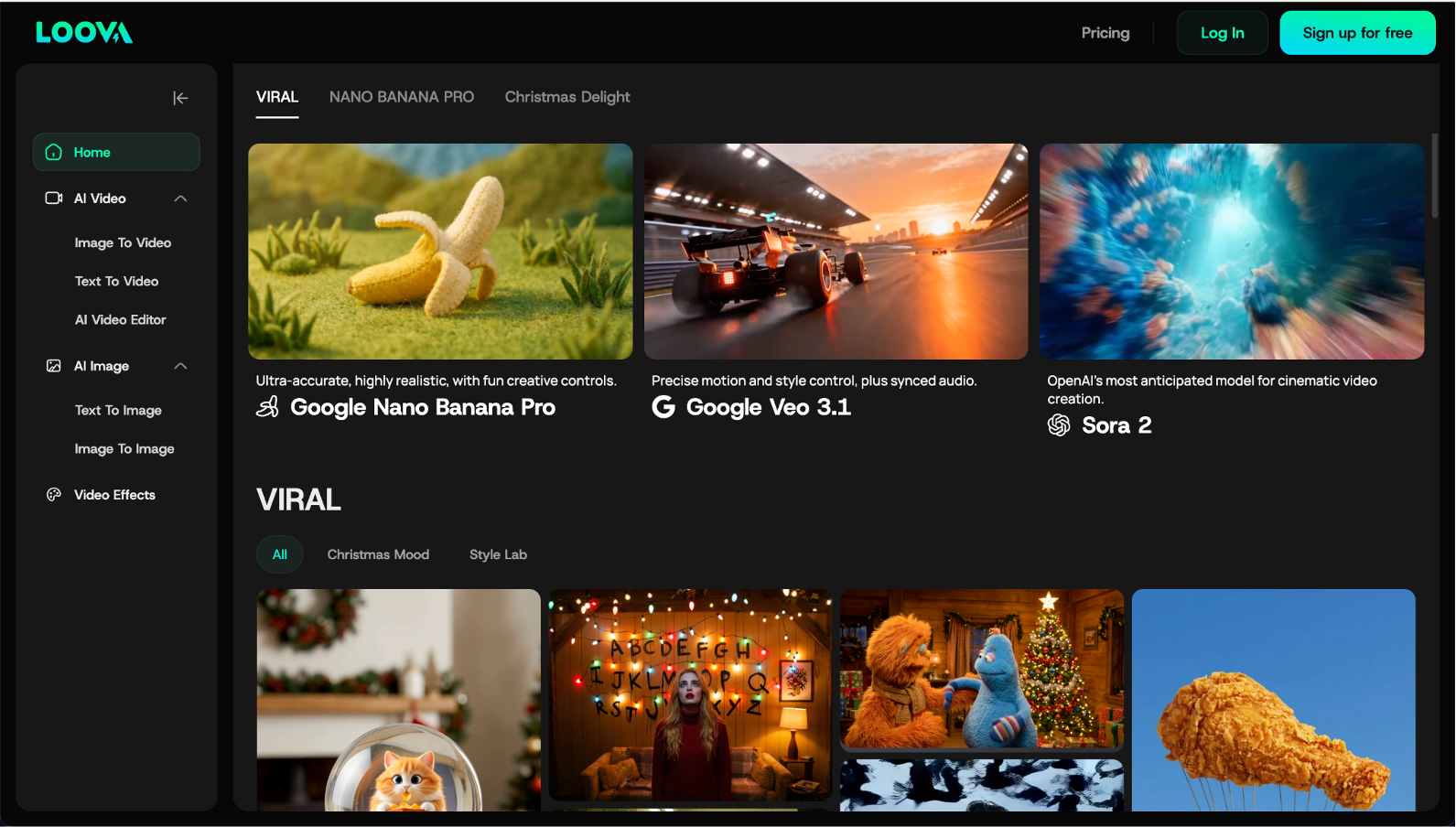
Loova is an all-in-one platform designed to simplify the video creation process using advanced AI. With Loova, you can generate videos, edit them, and even create visuals for thumbnails—all in one place.
The platform leverages powerful AI tools that can convert text to video, turn images into videos, and enhance your footage with professional-grade editing features. Whether you’re creating a video for a vlog, tutorial, or ad, Loova provides everything you need to bring your ideas to life.
AI Video Tools
Loova offers multiple AI video generation tools, including:
- Access to top AI models in one place
- Supports text, image, and video inputs
- Text to video, image to video, and AI video editing
- Image to Image, Text to image
- Viral effects, templates, and creative editing tools
- Fast output with customizable settings
This flexibility allows you to choose the best tool for your specific needs and ensures that creating videos is quick and painless.
No Experience? No Problem!
Loova’s user-friendly interface and intuitive features make it easy for beginners to create professional-looking videos without any technical knowledge. With Loova, you won’t need to spend hours learning complicated video editing software. The AI does most of the hard work for you, so you can focus on your content.
Step-by-Step Guide to Creating Your YouTube Video Using Loova
Now that you understand the basics, let’s break down the process of creating your YouTube video using Loova. We’ll cover every step, from concept to finished video, and show you how Loova’s AI features can help you along the way.
Step 1: Start with an Idea
Before you begin creating your video, you need a solid idea. Spend some time brainstorming what your video will be about. Do you want to create a tutorial, an unboxing video, a product review, or something else? Identify your target audience and ensure your content is aligned with their interests.
Once you have your concept, Loova makes it easy to turn that idea into a video.
Step 2: Create Visuals for Your Video
This is where Loova really shines. You have several options to bring your idea to life:
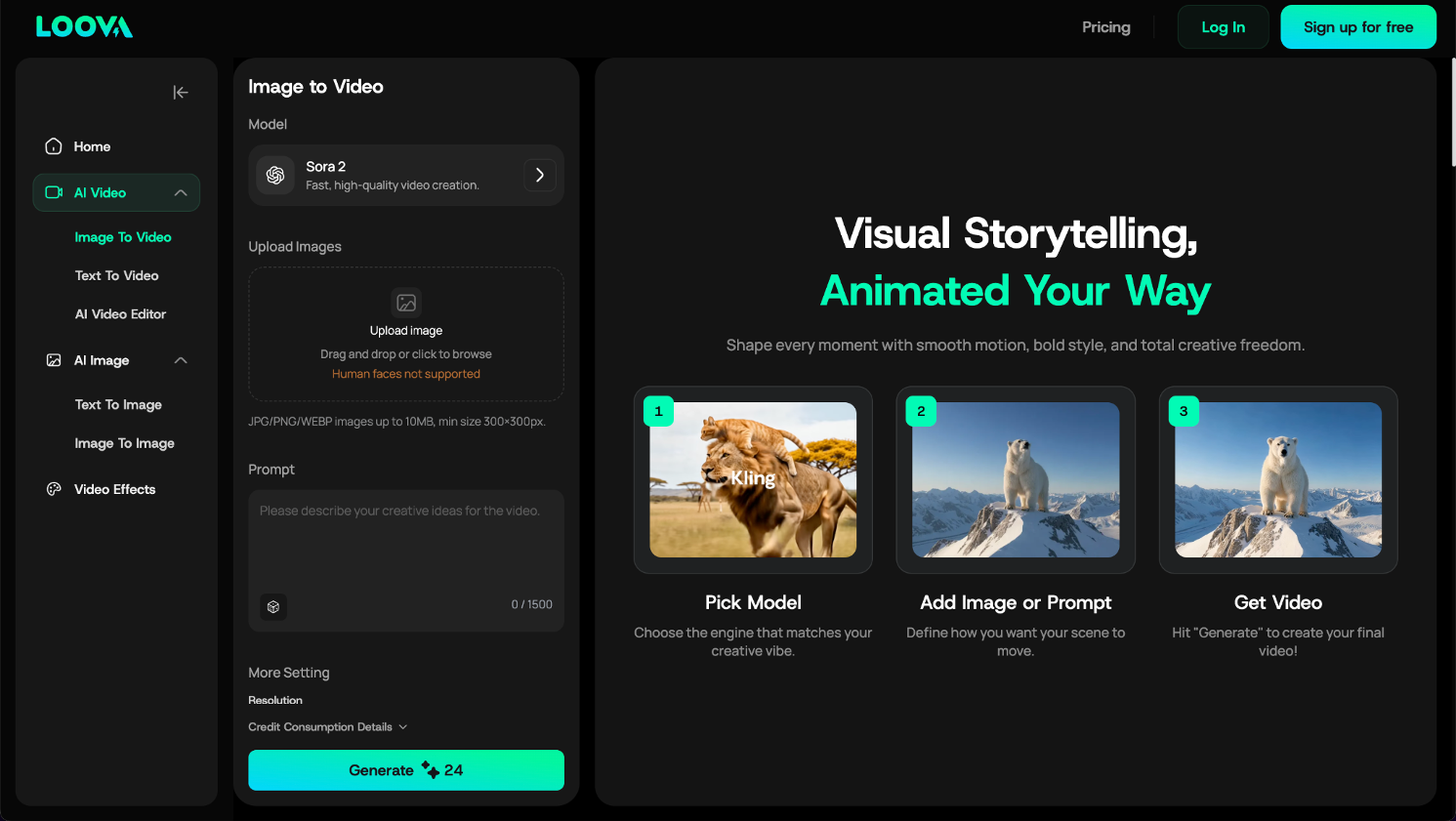
Image-to-Video
Loova’s Image-to-Video feature lets you turn static images into moving visuals. Upload a series of images, and Loova’s AI will animate them, creating a smooth, dynamic video. This is especially useful if you want to create a video from a photo collection, product images, or infographics.
If you have a script or a set of instructions, Loova’s Text-to-Video feature can convert your text into a video. Simply input your text or script, and Loova’s AI will generate video scenes that correspond to your content. This is perfect for creating explainer videos, tutorials, or any content where you want to pair text with visuals.
Multiple AI Video Tools
Loova also offers a variety of video generation tools, allowing you to select the best option for your video. Whether you need animation, live-action footage, or something else, Loova has the flexibility to create the content you need.
Step 3: Customize Your Video with AI Editing
Once your video content is generated, it’s time to fine-tune it with Loova’s AI video editing tools. Loova’s AI editing features make it easy to customize and enhance your video. Here are six key editing features you can use:
- Add Content Fast: You can upload images, video elements, or even simply describe your idea to bring new subjects into your video instantly. This feature is great for quickly inserting additional visuals or text overlays into your footage.
- Modify Subjects Easily: Want to swap a character or change the background? Loova makes it simple to modify any subject or scene in your video with just a few clicks. Whether you want to replace a character or switch the entire setting, Loova’s AI can handle it seamlessly.
- Remove Unwanted Subjects: If there’s something in your video you don’t need, such as an object, person, or background element, you can easily remove it. Loova’s AI will clean up the video, so it looks polished and professional.
- Adjust Colors & Weather: Want to change the mood of your video? Loova allows you to adjust the colors, apply filters, or even change the weather in your scenes—all with simple text prompts. This is perfect for creating the right atmosphere or mood for your video.
- Add Hollywood-Grade VFX: Want explosions, magical sparks, or any other special effect? Loova lets you add high-quality VFX without needing expensive studio equipment. This is a game-changer for creators who want to add dramatic effects without the budget.
- Restyle in Any Theme: Loova allows you to restyle your video in any artistic theme. Whether you want a cartoonish look, anime-inspired visuals, or a cyberpunk aesthetic, Loova has options to match your vision.
Step 4: Putting Everything Together with CapCut
Once your video clips are ready in Loova, the next step is putting everything together. This is where you’ll finalize the flow of your video, add voiceovers, and make sure everything is polished.
You can use CapCut, an easy-to-use video editing tool, to assemble your clips. With CapCut, you can add transitions between scenes, adjust timing, and include voiceovers to narrate your video. It’s a simple yet powerful way to make your video more engaging.
Step 5: Create a Thumbnail and Upload to YouTube
Your thumbnail is one of the first things viewers will see on YouTube, so it’s important to make it eye-catching. Loova’s AI Image Generator allows you to create stunning thumbnails that grab attention. Simply input your idea, and Loova’s AI will generate a custom thumbnail based on your video’s content.
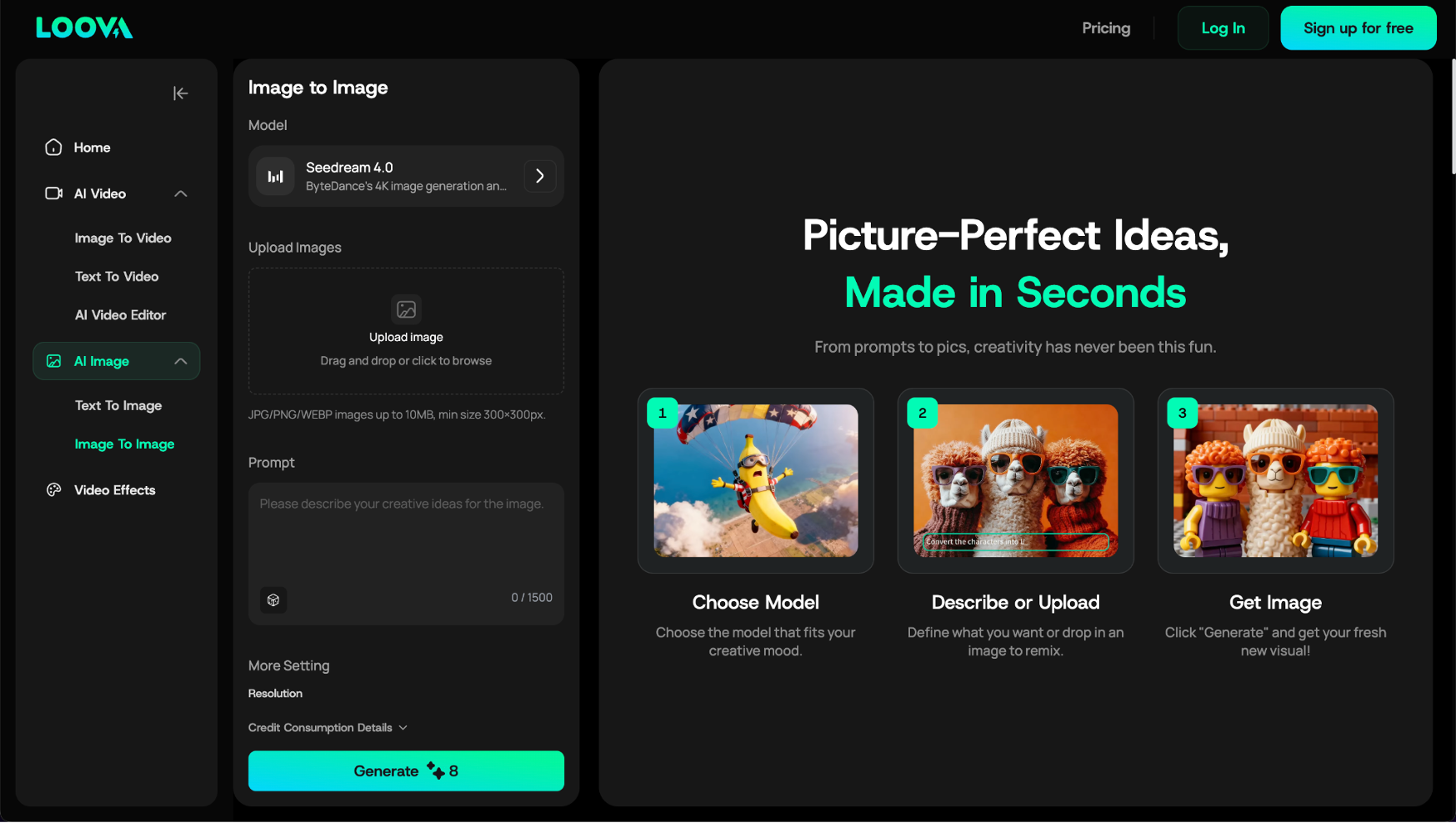
Once your thumbnail is ready, upload both the video and the thumbnail to YouTube, and you’re all set!
How to Use Loova’s AI Features to Maximize Impact
Using Loova’s AI features effectively can help you take your video creation to the next level:
- Image-to-Video: Make your video content stand out by animating images, making them more engaging for your audience.
- Text-to-Video: Automatically turn scripts or ideas into videos, perfect for educational or tutorial content.
- AI Video Editing: With Loova’s advanced editing features, you can easily modify, clean up, and enhance your video content to make it more professional.
- Thumbnail Creation: Use Loova’s image generation tools to design eye-catching thumbnails that will boost your click-through rates on YouTube.
Tips for Maximizing Your YouTube Reach Using Loova
To get the most out of Loova’s tools and increase your YouTube views, here are some optimization tips:
- Video Length: Aim for a video length that is engaging but concise. YouTube viewers tend to prefer videos that are around 7-10 minutes long for tutorials and vlogs.
- Thumbnail Best Practices: Your thumbnail should be clear, visually appealing, and include relevant text to draw people in.
- Consistency: Consistency is key on YouTube. Use Loova’s tools to create content quickly and maintain a regular posting schedule.
- Engagement: Add calls to action (CTAs) to your video, encouraging viewers to like, comment, and subscribe.
Conclusion
Creating a YouTube video has never been easier. With Loova’s powerful AI tools, you can
take your ideas and transform them into high-quality, engaging content in just a few simple steps. Whether you’re creating a tutorial, vlog, or promotional video, Loova makes video creation accessible for creators of all levels.
So, why wait? Give Loova a try and start creating your next YouTube hit today!