
Virtual staging has become a practical tool for today’s real estate market. It helps show the potential of a space even before any real renovation takes place. For an agent, this means faster listing preparation and a stronger first impression. Buyers see not an empty room, but a finished living option.
The best virtual staging software should work quickly and reliably. It is important that the result looks natural, without odd proportions or random furniture. For real estate listings, preserving the room’s architecture is especially critical. Walls, windows, doors, and the layout should not be changed.
How to choose virtual staging software for real estate
Before choosing a platform, an agent should assess not only examples but also its value in daily work. The service should save time, deliver consistent quality, and make it possible to prepare listing photos quickly.
It is better to evaluate a platform using several criteria:
- realistic furniture, shadows, and lighting;
- preservation of the room’s structure;
- speed of generation or editing;
- availability of styles for different property types;
- additional photo tools;
- clear pricing.
This makes it easier to understand whether the service is suitable for regular listings, premium properties, or fast processing of a large number of photos.
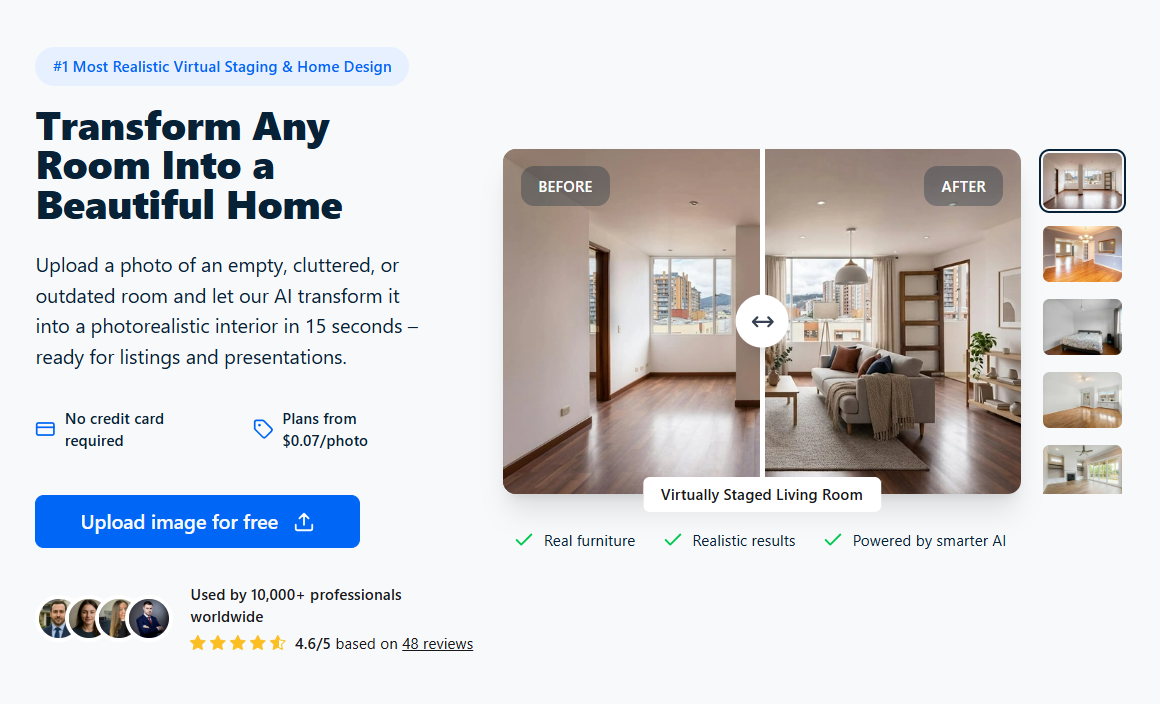
1. RoomStaging for fast AI virtual staging
Room Staging is suitable for agents who need to quickly turn an empty or outdated room into an appealing listing photo. The user uploads an image, chooses a style, and receives a photorealistic result in about 15 seconds.
The service is focused specifically on real estate, so it helps preserve walls, windows, doors, and the room’s real proportions. This is important for an honest yet visually effective presentation of a property.
Strengths of RoomStaging
RoomStaging combines several useful tools for preparing photos: staging, AI interior design, image enhancement, and removal of unwanted objects. More than 50 styles are also available, making it possible to quickly adapt a room for different types of buyers.
- realistic staging of empty rooms;
- interior redesign by style;
- improvement of light, color, and sharpness;
- removal of furniture or clutter;
- fast generation of several options.
RoomStaging is convenient for everyday real estate marketing when photos need to be prepared quickly, the potential of a space needs to be shown, and a listing needs to look visually stronger.

2. Collov AI for automated staging and flexible styles
Collov AI offers AI staging of empty rooms for real estate listings. The user uploads a photo, chooses the room type and style, and the system then creates a finished version with furniture.
For agents, the service can be useful when a basic visualization needs to be prepared quickly. At the same time, the result should be checked manually so that the furniture, proportions, and permanent room elements do not look unnatural.
When Collov AI is useful
Collov AI is suitable for simple tasks where speed matters more than detailed editorial work. It can be used to test several styles or prepare options for typical online listings.
- AI room staging from a photo;
- choice of style and room type;
- basic editing tools;
- ability to prepare several options for one property.
Collov AI should be considered a practical tool for quickly preparing images. It can help with typical properties, but for complex or premium presentations, the result may require additional review.
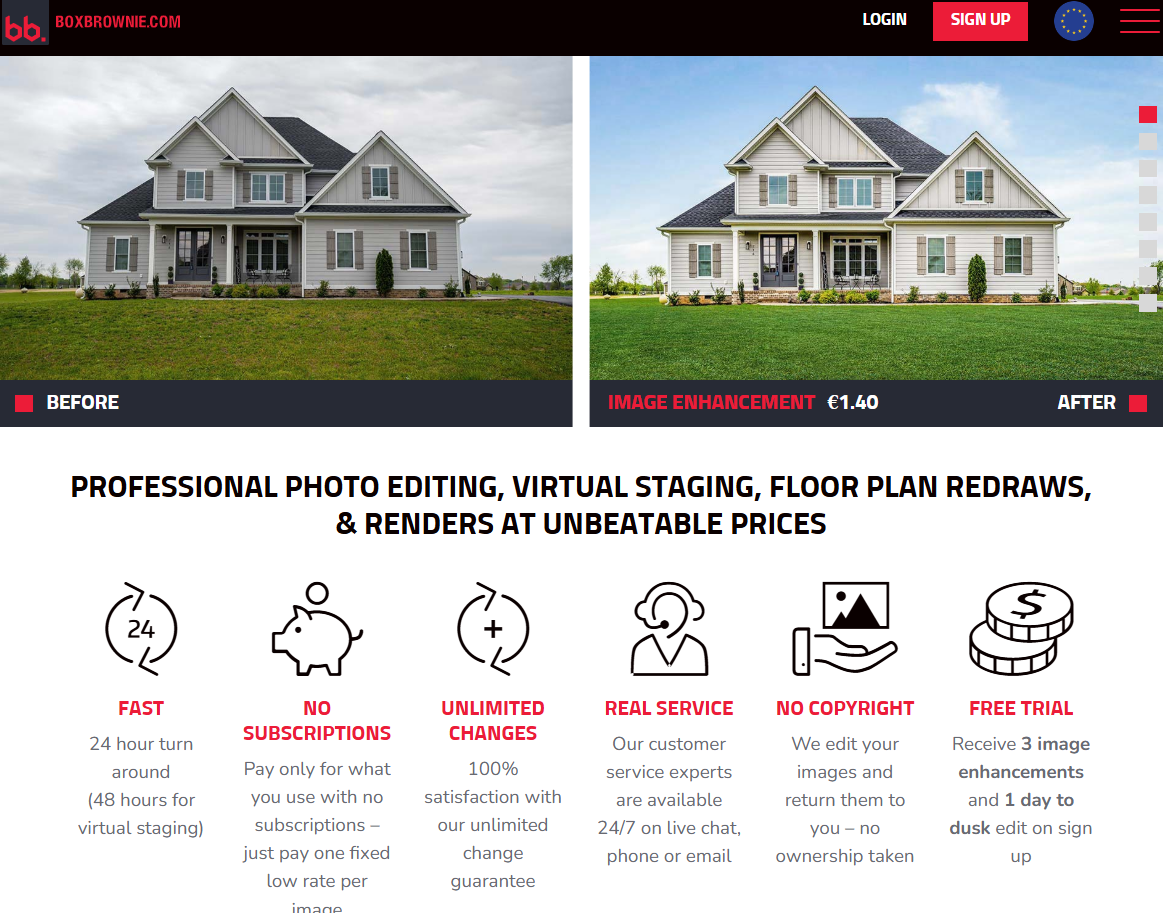
3. BoxBrownie for an editorial approach and comprehensive processing
BoxBrownie works in a service-based format, where images are processed by a team of editors. This can be useful for more complex properties, but the process is usually not as fast as with fully automated AI services.
The platform offers virtual staging and additional photo processing. Its services include object removal, image enhancement, floor plans, and renders. At the same time, speed and results depend on the type of order.
What tasks BoxBrownie is suitable for
BoxBrownie is worth considering when manual image processing or several types of editing in one order are needed. According to the website, virtual staging has a fixed price per image, and delivery can take up to 48 hours.
- virtual staging of rooms;
- photo enhancement;
- object removal;
- preparation of 2D and 3D floor plans;
- renders and virtual renovations.
BoxBrownie may be suitable for individual complex tasks, but for quickly preparing typical listings, its format is not always the most convenient.
Which platform should a real estate agent choose?
The best choice depends on property type and pace of work. If many photos need to be prepared quickly, automation matters; for expensive or complex properties, a more manual approach may fit. For regular listings, the balance of speed, price, and realism wins.
RoomStaging appears to be the most convenient solution for fast AI virtual staging, combining staging, AI interior design, photo enhancement, and furniture removal. Collov AI is useful for flexible style testing, while BoxBrownie is better suited for comprehensive editorial processing and special tasks.